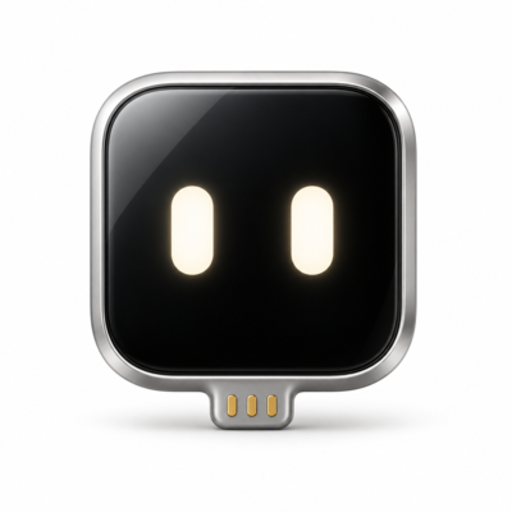
ESP32 Agent
Yes, there is an MCP server that drives a physical iPhone
If you build with the Model Context Protocol, you may want your agent to use a real iPhone the way it uses a file system or a browser. Handsy CLI provides that. It runs an MCP server on your computer and talks to a small ESP32-S3 board plugged into the iPhone. The agent asks for a screenshot, reasons about it, and sends back taps, swipes and typed text. The phone is not jailbroken and no developer account is needed for daily use.
This page is for developers who want to know what the tool surface looks like, how the transport works, and where the edges are.
Install and register the server
The CLI comes from npm:
npx -y esp32agentThe MCP server is started by the same package with the mcp subcommand. Register that command with your MCP client. For Claude Code, the command is:
claude mcp add esp32agent -- esp32agent mcpOther MCP-capable agents can be given the same command shape: an executable esp32agent with the argument mcp. Point your client at that command.
What the agent can do
The server gives the agent a loop that matches how a person uses a phone:
- Request a screenshot of the current iPhone screen.
- Decide on one action from what it sees.
- Send a tap, a swipe, or a string of typed text (plus key presses).
- Request another screenshot to check the result.
- Repeat until the task is done.
There is no accessibility tree and no app-specific API. Everything the agent knows comes from pixels, which means it works across apps but also means the model needs to be a vision model.
Transport: what sits between your MCP client and the phone
| Layer | What it carries | Path |
|---|---|---|
| MCP client to CLI | Tool calls and results | Local process on your computer |
| CLI to board | Commands and video | Bluetooth LE |
| iPhone to board | Screen | AirPlay mirroring over the board's own Wi-Fi hotspot |
| Board to iPhone | Pointer and keyboard input | USB HID mouse and keyboard |
The board shows up in the iPhone's Screen Mirroring list as ESP32 Agent. It receives the H.264 stream without decoding it. When the CLI is in use, both commands and video travel to your computer over Bluetooth. On the phone side, the board is plugged into the USB port as a standard HID mouse and keyboard; with AssistiveTouch enabled, a click is a tap and a drag is a swipe.
Since the hotspot has no internet, any app on the phone that needs the network while mirroring will use cellular data.
Design details that matter for tool reliability
Relative pointer handling
A USB mouse reports movement, not coordinates. The system tracks the pointer and re-homes it in a corner to keep a known origin. Before precise taps it wiggles the pointer, locates it on screen, and corrects the miss. Your agent can reason in screen coordinates without managing cursor drift itself.
Settle detection
After each action the system waits for the screen to settle and reports whether anything changed. For an agent this is a useful signal: an unchanged screen after a tap usually means the target was wrong or the app is still loading.
Pause and resume
If the board, the hotspot or the mirroring link is lost, the run pauses and resumes at the same step.
Throughput and constraints
Plan your prompts and timeouts around these numbers:
- Bluetooth LE carries about 300–500 kbps. The mirrored screen is 480×1040 at most 5 fps.
- Each step takes a few seconds, most of it model time.
- Keyboard input is ASCII only, so non-ASCII text cannot be typed.
- iOS does not mirror passcode entry, Apple Pay or DRM video. The agent sees nothing on those screens.
- Mirroring stops when the phone locks, so keep auto-lock in mind for long runs.
- Landscape apps are not supported yet.
Hardware checklist
- Seeed Studio XIAO ESP32S3, standard version with 8 MB flash and 8 MB PSRAM (about $7). Other ESP32-S3 boards with native USB and the same memory should work but are untested.
- iPhone XS or newer on iOS 18 or later, with cellular data.
- Short USB-C to USB-C data cable, about 30 cm. A Lightning iPhone needs a Lightning to USB Camera Adapter.
- Chrome or Edge on a computer to flash the firmware.
If you do not want a computer in the loop
The same board also works with the ESP32 Agent app on the iPhone, distributed through TestFlight. In that mode the app decodes the stream itself, sends screenshots to any OpenAI-compatible vision model, and runs its own planner and actor. Runs are stored on the phone and can be exported as traces from Runs, then open a run, then ⋯, then Export trace, which is handy when you want to compare app runs with what your MCP agent did.
License
Source is on GitHub under MIT, apart from the firmware's AirPlay receiver, which is GPL-3.0. You can read the CLI and server code before wiring it into your stack.
Next step
Flash a board and register the server by following the install guide. The full command reference is in the CLI docs.
Related: Control an iPhone from Claude Code · How to let an AI control an iPhone · How it works