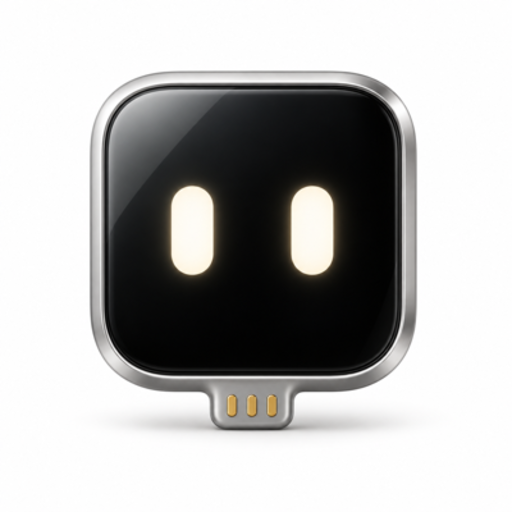
Handsy AI for iPhone
An AI that uses your iPhone. With its own hands.
Plug a $7 ESP32 board into your phone. It sees the screen and taps through USB. Give the iPhone app a goal, or connect your computer’s agent with Handsy CLI. No jailbreak.
App Store coming soon · CLI release in preparation
Hi, I'm the agent. Poke me.
Tap · double-tap · hold · drag
Get started
Your iPhone. Two ways in.
Use Handsy on your phone, or put your computer’s agent in control of the same board.
A goal, and a pair of hands.
The app walks you through connecting the board, seeing the screen, and starting your first task.
Coming to the App Store. The download link will be added after launch.
- Prepare the board once in your browser.
- Follow the four setup steps on your iPhone.
- Give Handsy a goal. Watch it work, or step in.
Give your agent an iPhone.
Handsy CLI connects your computer to the board over Bluetooth. Your agent can see screenshots, tap, swipe, and type on your real phone.
CLI release in preparation.
The commands below are for the upcoming release. Ask your agent to check availability before installing.
Your agent finds and pairs the board over Bluetooth. With the upcoming firmware v0.2.2 and matching CLI, esp32agent wifi reads the hotspot details. Join it in iPhone Settings and turn on Screen Mirroring and AssistiveTouch; no phone app is required. Phone connection steps
1. Install the CLI
curl -fsSL https://handsy.tech/install.sh | shirm https://handsy.tech/install.ps1 | iex2. Hand setup to your agent
Copy this request into an agent with local terminal access. It will check release availability, then discover and pair your board and verify a screenshot.
Connect an agent yourself
After installing the CLI, choose your client to see its MCP command.
claude mcp add esp32agent -- esp32agent mcpcodex mcp add esp32agent -- esp32agent mcpFor another MCP client, follow the generic stdio setup in the CLI guide. For an agent with terminal access, the same guide explains how to use the CLI directly.
How it works
One board. Two ways to give it a brain.
The board is the eyes and hands. Use the app on your iPhone, or your agent on a computer.
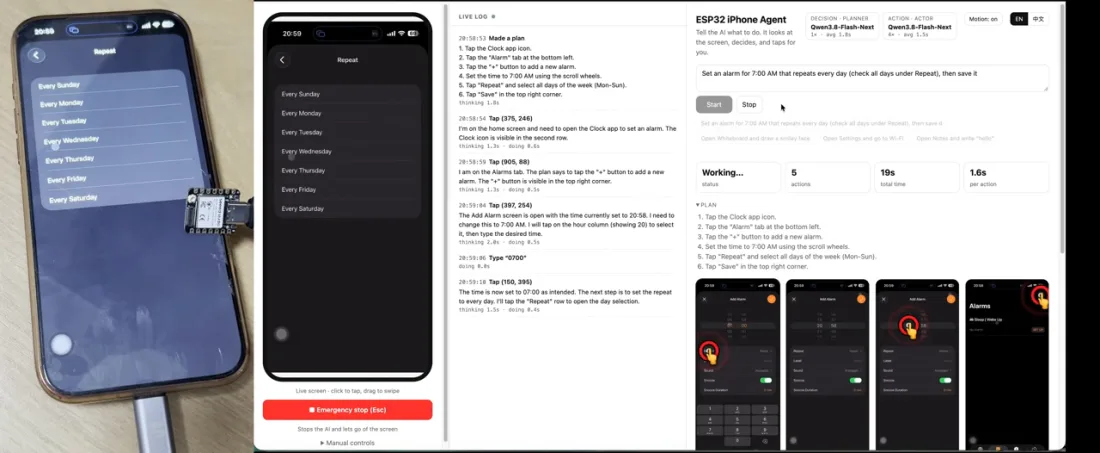
It sees your screen
The board opens its own Wi-Fi and shows up in Screen Mirroring. It passes the AirPlay stream over Bluetooth to the app or CLI.
It taps like you do
Plugged into USB-C, the board is a plain mouse and keyboard. With AssistiveTouch on, a click is a tap and a drag is a swipe.
Your app or your agent
Let the iPhone app plan the next step, or connect your computer’s agent through the CLI to see screenshots and act on the phone.
On X and in the press
See it run, and who’s talking about it.
 Henry@iamhenryyuan
A $7 ESP32 lets an AI agent control a stock iPhone. THAT'S ALL. … The ESP32 takes the iPhone's AirPlay screen and taps back over USB. We also built a very cute agent app that works together with the ESP32 to automate any iPhone. Show more
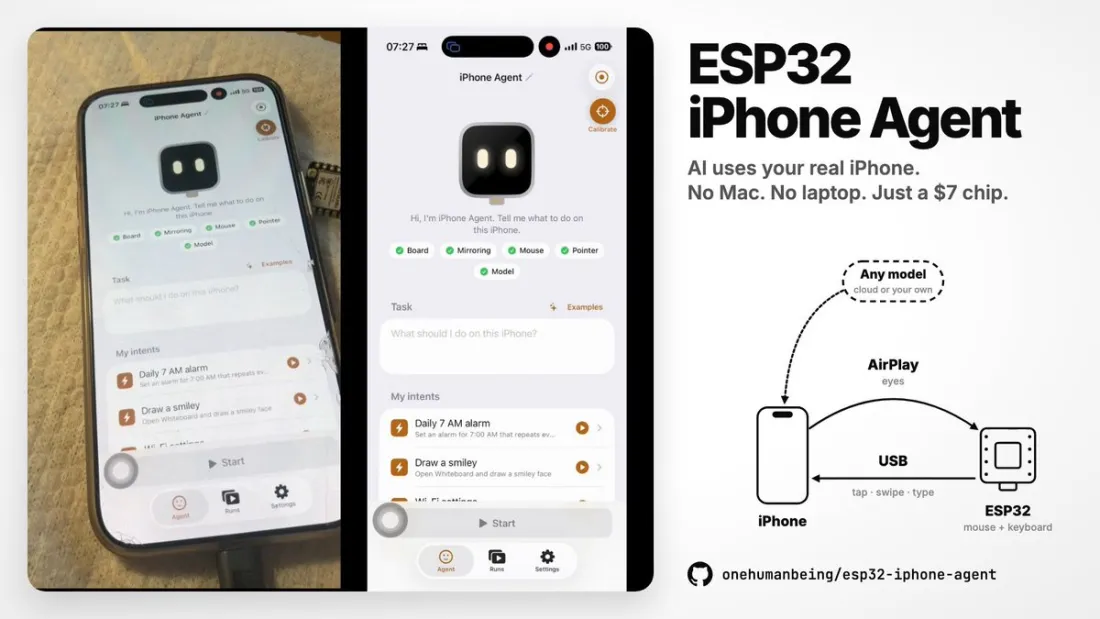 Henry@iamhenryyuan
A $7 ESP32 lets an AI agent control a stock iPhone. No Mac, no jailbreak, no developer mode. Just a Linux machine. No cloud APIs for this demo: Qwen3.8-Flash-Next runs locally on 2× DGX Spark (TP=2), everything stays on my LAN. Open source 👇
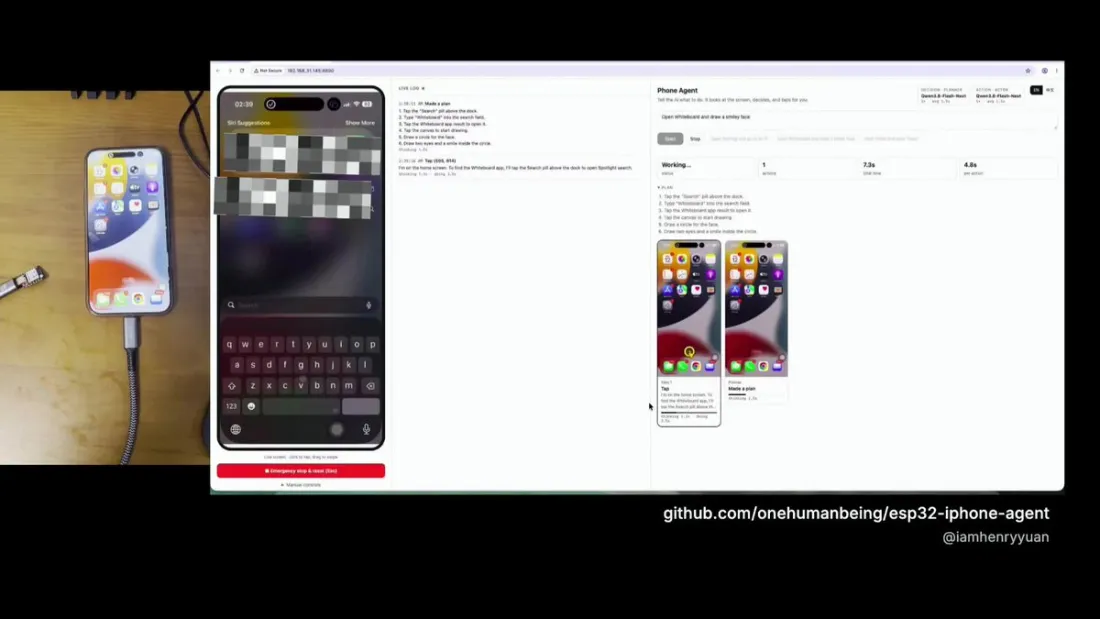
 Seeed Studio@seeedstudio
An AI that uses a real iPhone, with a $7 board as its eyes and hands 📱 Henry Yuan's ESP32 iPhone Agent runs on our XIAO ESP32S3: the phone mirrors its screen to the board, and the board taps back as a USB mouse. No jailbreak.
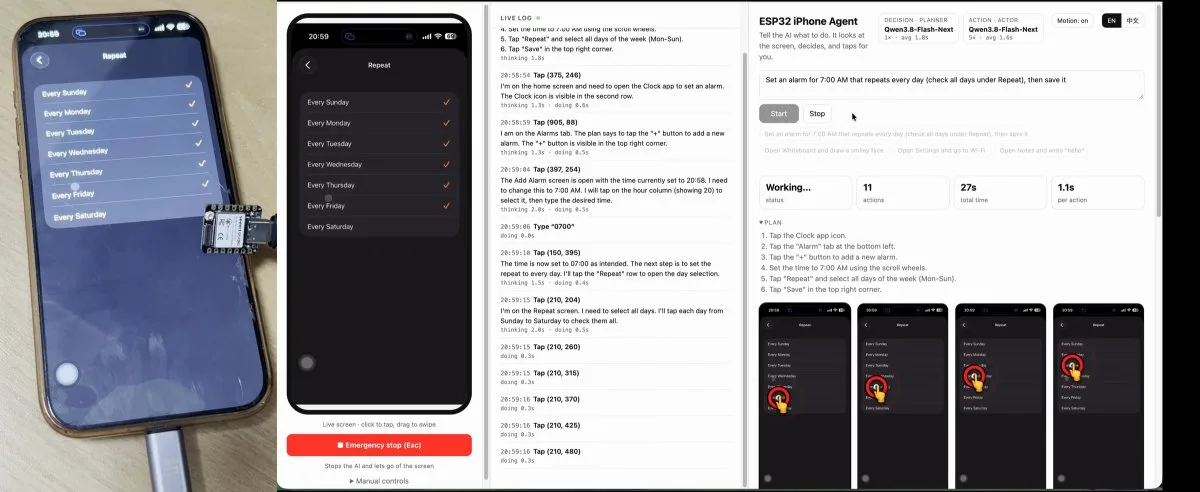
AI Controls iPhone Via ESP32
Do you want to get an AI agent to do something to an iPhone? You could try and jailbreak the device and do some heavy software hacking, or… you could grab a microcontroller off the shelf.
What you need
Less than a lunch.
Board
XIAO ESP32S3, about $7
Choose the standard version with 8 MB flash and 8 MB PSRAM for the browser installer. Attach the included Wi-Fi/Bluetooth antenna.
Buy on Amazon ↗Phone
Any iPhone on iOS 18
iPhone XS or newer. USB-C models plug straight in; Lightning models use a USB camera adapter. Use the phone app or connect a computer agent through the CLI.
To connect the board, a short USB-C to USB-C data cable.
Buy on Amazon ↗As an Amazon Associate I earn from qualifying purchases.
Give your iPhone a pair of hands.
Start on your iPhone, or bring the agent you already use.